> ## Documentation Index
> Fetch the complete documentation index at: https://docs.mediamonster.app/llms.txt
> Use this file to discover all available pages before exploring further.
# Settings
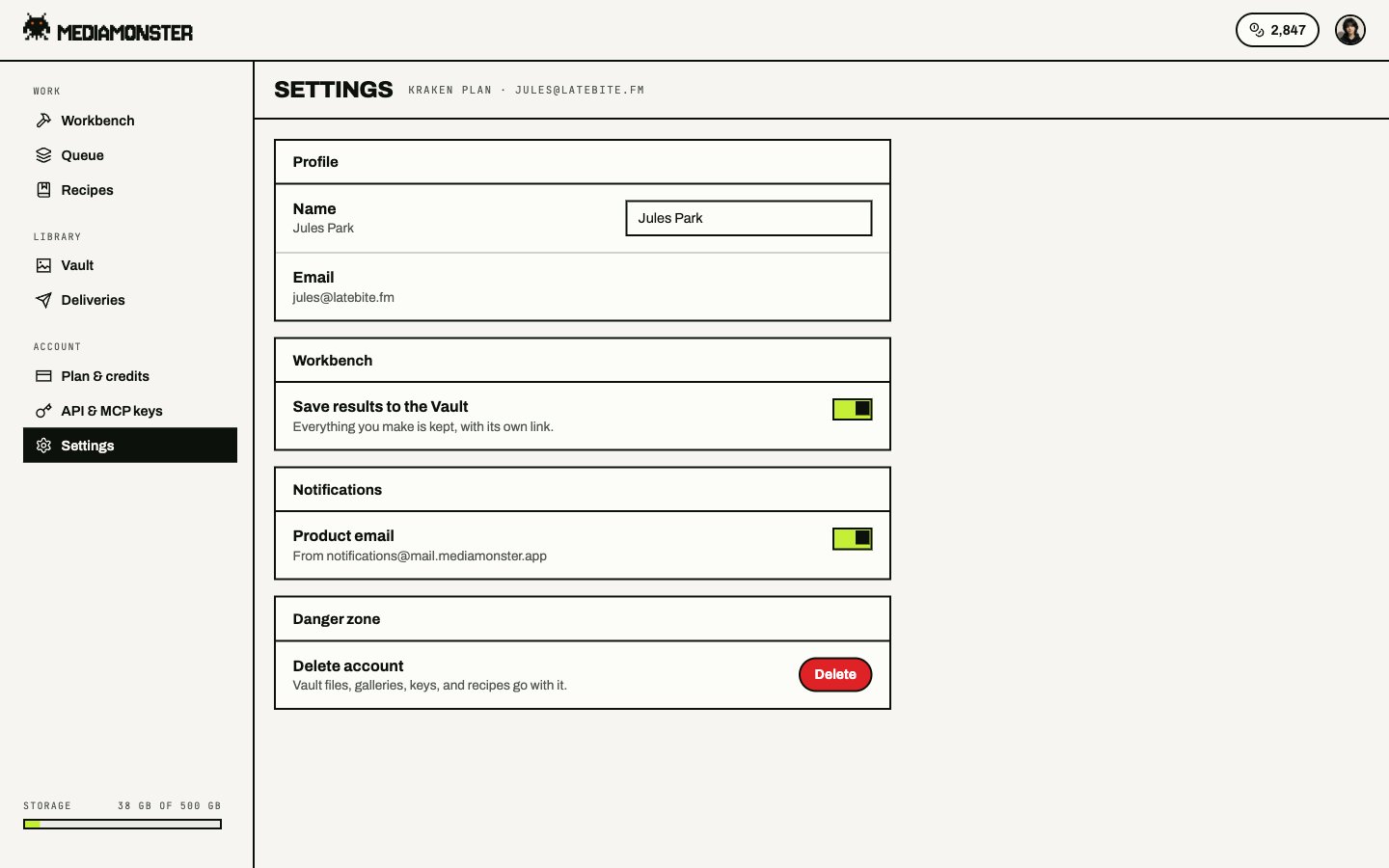
> Profile, email, password, Workbench auto-save, notifications, and the danger zone.
Settings live at [mediamonster.app/settings](https://mediamonster.app/settings). Plan, keys, and billing sit in the account menu rather than in the phone dock.
 ## Profile
Name, email, and password. Email sign-up requires 8 characters. You can also sign in with Google, Discord, or X.
Language follows the account. The picker writes an `mm-lang` cookie that the server uses to render the first byte of HTML. **Automatic** clears the cookie and hands the choice back to the browser and region. The UI ships in 33 locales.
## Workbench
**Save results to the Vault** stores Workbench outputs without an extra click. See [Vault](/vault).
## Notifications
Choose which email you want. Transactional mail comes from `notifications@mail.mediamonster.app`. Reply to [support@mediamonster.app](mailto:support@mediamonster.app).
## Danger zone
Delete the account from here. Vault files, galleries, keys, and recipes go with it.
## Profile
Name, email, and password. Email sign-up requires 8 characters. You can also sign in with Google, Discord, or X.
Language follows the account. The picker writes an `mm-lang` cookie that the server uses to render the first byte of HTML. **Automatic** clears the cookie and hands the choice back to the browser and region. The UI ships in 33 locales.
## Workbench
**Save results to the Vault** stores Workbench outputs without an extra click. See [Vault](/vault).
## Notifications
Choose which email you want. Transactional mail comes from `notifications@mail.mediamonster.app`. Reply to [support@mediamonster.app](mailto:support@mediamonster.app).
## Danger zone
Delete the account from here. Vault files, galleries, keys, and recipes go with it.