> ## Documentation Index
> Fetch the complete documentation index at: https://docs.mediamonster.app/llms.txt
> Use this file to discover all available pages before exploring further.
# Vault
> Stored uploads and Workbench results. Cyclops keeps files 30 days. Paid plans keep them until you delete them.
The Vault is stored media at [mediamonster.app/vault](https://mediamonster.app/vault). Conversion jobs that you do not save are deleted when they finish. The Vault is the exception.
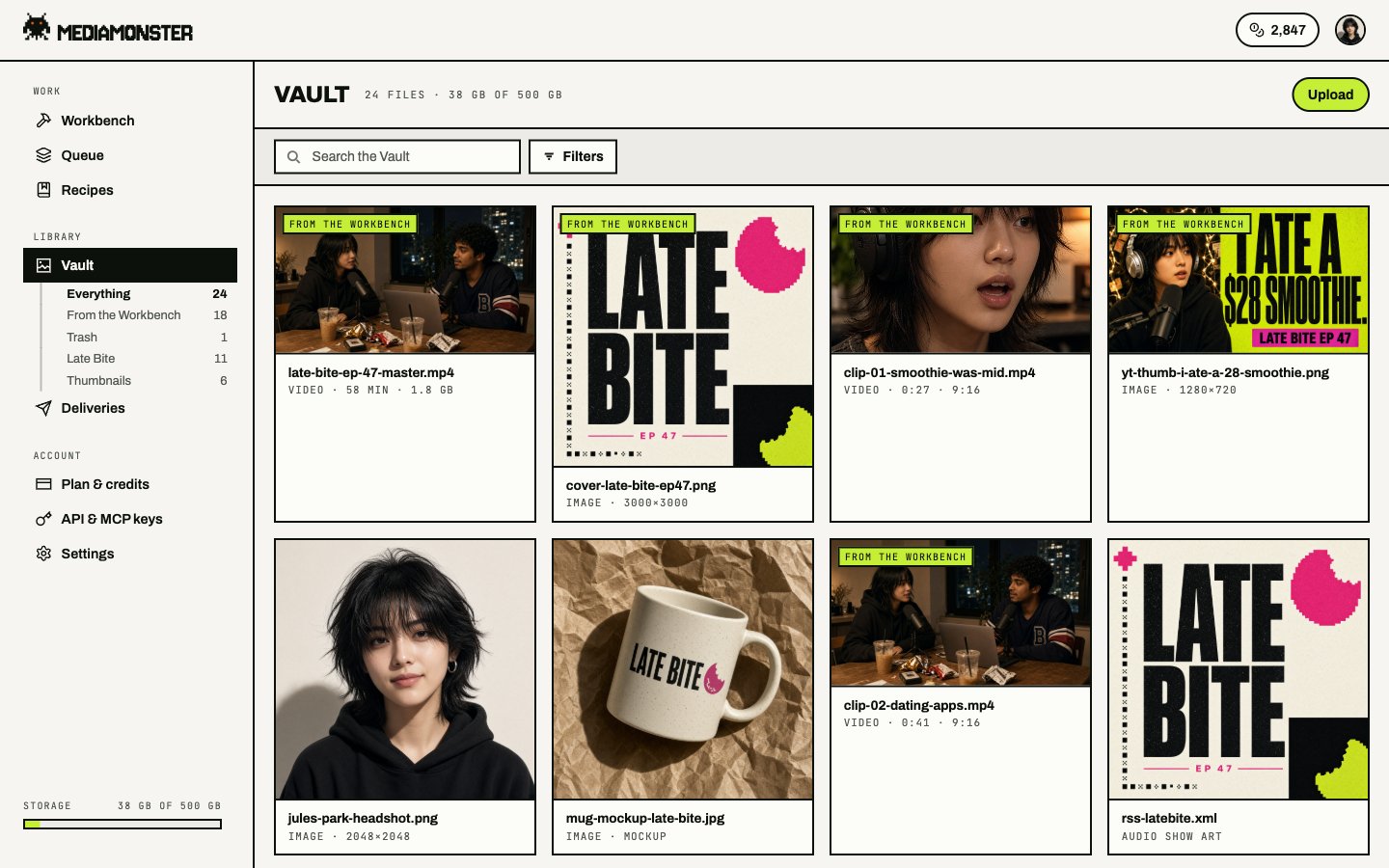 ## Views
The URL picks the view:
| View | What it shows |
| ------------------ | ---------------------------------- |
| Everything (`all`) | Default |
| From the Workbench | Results you saved from a run |
| Raw | Uploads |
| Trash | Deleted files, until they are gone |
Filter by kind, folder, or tag. Open a file at `/vault/`.
## How long files stay
| Plan | Allowance | Kept |
| -------- | --------- | --------------------- |
| Cyclops | 2 GB | 30 days |
| Minotaur | 100 GB | Until you delete them |
| Kraken | 500 GB | Until you delete them |
| Behemoth | 2 TB | Until you delete them |
Paid plans can add **100 GB** for **\$3** from the [plan page](/account/billing). Extra storage does not change Cyclops expiry.
## Auto-save
In [Settings](/account/settings), turn on **Save results to the Vault** if you want Workbench outputs stored without an extra click.
## Share and CDN
Each file can have:
* a share link on the app (`/s/`) or on `https://mediamonster.link/...`
* a CDN link, `/a//` on the share host, only for published assets
## From the API
`GET /api/v1/assets` lists what is in the Vault and how much room is left. `POST /api/v1/assets` stores a finished job with a `job_id`. See [Assets and galleries](/api/assets-and-galleries).
## Views
The URL picks the view:
| View | What it shows |
| ------------------ | ---------------------------------- |
| Everything (`all`) | Default |
| From the Workbench | Results you saved from a run |
| Raw | Uploads |
| Trash | Deleted files, until they are gone |
Filter by kind, folder, or tag. Open a file at `/vault/`.
## How long files stay
| Plan | Allowance | Kept |
| -------- | --------- | --------------------- |
| Cyclops | 2 GB | 30 days |
| Minotaur | 100 GB | Until you delete them |
| Kraken | 500 GB | Until you delete them |
| Behemoth | 2 TB | Until you delete them |
Paid plans can add **100 GB** for **\$3** from the [plan page](/account/billing). Extra storage does not change Cyclops expiry.
## Auto-save
In [Settings](/account/settings), turn on **Save results to the Vault** if you want Workbench outputs stored without an extra click.
## Share and CDN
Each file can have:
* a share link on the app (`/s/`) or on `https://mediamonster.link/...`
* a CDN link, `/a//` on the share host, only for published assets
## From the API
`GET /api/v1/assets` lists what is in the Vault and how much room is left. `POST /api/v1/assets` stores a finished job with a `job_id`. See [Assets and galleries](/api/assets-and-galleries).