

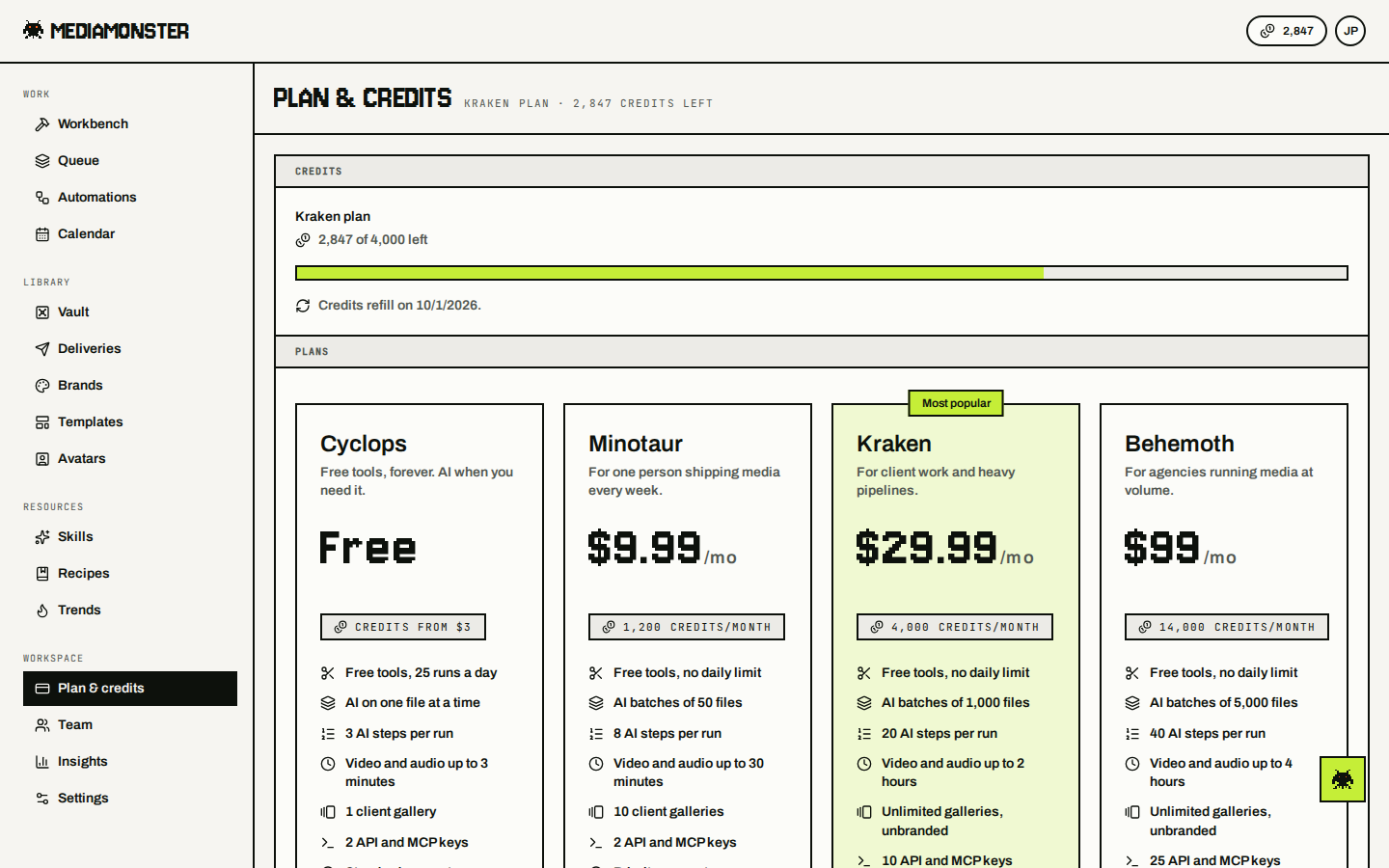
The workspace is the billing entity. The Stripe customer, the plan, the credits, the auto top-up, and the Vault storage all live on it. The owner may buy for it, and so may an admin of a team workspace; the billing portal, the card on file and auto top-up are the owner’s alone. See Team & workspaces. Plans and credits live at mediamonster.app/plan. Checkout is Stripe-hosted. Returning from checkout lands on /plan?checkout=.
Plan and credits page on Kraken with 2,847 of 4,000 monthly credits, plan cards, and Vault storage at 38 GB of 500 GB

Plan and credits. Monthly balance, top-up, the four plans, and Vault storage.

Change plan

Pick Minotaur ($9.99), Kraken ($29.99), or Behemoth ($99) from the plan page. Cyclops is free. Cancelling keeps the paid plan until the period ends, then drops you to Cyclops. Monthly credits reset on the billing date. Top-up credits stay. See the full comparison on Credits and plans.

Top up credits

Buy 250 to 50,000 credits on the plan page. They never expire. Priced above the subscription rate — see the table on Credits and plans.

Pay for one run

A run that would overspend the balance can be paid for on its own from the Workbench Run gate. The pass is sized to the run, priced at $0.02 a credit with a $2 floor, and available up to 5,000 credits. Runs above that are a batch — use a top-up or a plan. See Run pass.

Payment method

The workspace has one card on file, in its own Payment method section on the plan page between Credits and Auto top-up. That card bills both: the plan renews on it, and auto top-up buys on it. The label under it reads what it is being used for — the plan, auto top-up, both, or nothing yet. Change card opens Stripe to save a new one and returns to the plan page. Saving a card here doesn’t switch auto top-up on. Owners and admins see the section; members don’t.

Auto top-up

Pay as you go. Switch it on under Auto top-up on the plan page and pick three things: the balance that counts as low (50 to 1,000 credits), how many credits to buy when you get there (250 to 5,000, at the top-up rate), and the most it may spend in a calendar month ($25 to $250, or no limit). Auto top-up is the workspace’s, not a person’s. A run that would come up short buys what it needs and carries on, and a balance that reaches the threshold buys the next top-up in the background. Whoever’s spend took the pool under the threshold, the workspace buys for itself. The card in Payment method is what it charges; switching auto top-up on without a card saved sends you to Stripe to save one and comes back with it on. A declined card pauses auto top-up and emails the owner. Resume it, or change the card in Payment method.

Extra storage

Paid workspaces add Vault space in 100 GB blocks at $3 each on a slider that goes from 0 to 20 blocks (further if the workspace is already past that). The line under the slider reads the new limit and the change to the monthly bill. Cancel and the buy button (for example, Add 200 GB) appear only once the slider differs from what is bought. Confirming opens a dialog that spells out the new limit and whether the change is prorated on the card on file or goes through checkout. Blocks stack on top of the plan allowance. Cyclops files still expire after 30 days.

Invoices

Receipts come from Stripe to the account email.